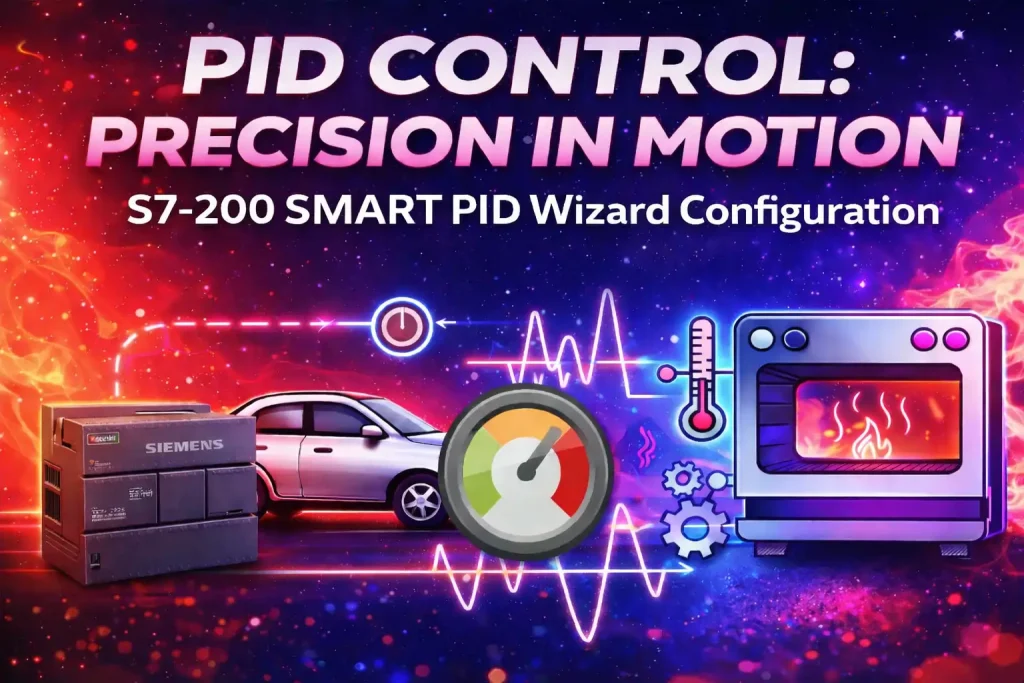
When students first hear about PID Control, they often think it is a complex mathematical topic. But in reality, PID control in PLC and industrial automation is logical, practical, and completely skill-based. In this detailed guide, we will clearly understand PID control in PLC, why simple ON-OFF control fails in real industrial systems, and how to configure and tune a PID loop using Micro/WIN SMART software – in clear, practical language.
What is PID Control in Industrial Automation?
PID Control stands for:
- P – Proportional
- I – Integral
- D – Derivative
It is a control algorithm used in PLC systems to maintain a process variable (temperature, pressure, flow, speed, level, etc.) at a desired setpoint with high stability and accuracy.
In simple terms, a PID control system continuously checks the error (difference between setpoint and actual value) and applies corrective action to keep the system stable.
In real industries, PID control in PLC is used for:
- Temperature control systems
- Pressure control loops
- Flow control systems
- Motor speed control using VFD
- Level control in tanks
Without proper PID tuning, industrial systems can become unstable, inefficient, and inaccurate.
Why Not Use Simple ON-OFF Control?
Let’s understand this with a heater example.
In an ON-OFF control system:
- If temperature is below setpoint → Heater turns ON
- If temperature is above setpoint → Heater turns OFF
It looks simple. But what happens practically?
The temperature keeps moving above and below the target. It never stays stable. This creates:
- Continuous oscillation
- Overshoot and undershoot
- Zig-zag response pattern
- Reduced efficiency
- Mechanical stress on equipment
This type of control is not suitable for precision industrial automation systems.
Industries require:
- Stability
- Smooth response
- Accurate setpoint tracking
- No sudden fluctuation
This is exactly where PID Control becomes essential.
Understanding PID Control Using a Car Driving Example
To understand PID Control easily, imagine driving a car.
Your target speed (setpoint) is 60 km/h.
Your goal is to maintain exactly 60 km/h – not 55, not 65.
In a PID control system, three “drivers” work together: Proportional, Integral, and Derivative.
Proportional (P) – The Present Controller
The Proportional part reacts to the current error.
Error = Setpoint – Actual Speed
If the car starts from 0 km/h:
- Error is large
- Proportional action presses the accelerator strongly
As speed approaches 60 km/h:
- Error becomes smaller
- Acceleration reduces
But there is a limitation.
Proportional alone cannot bring the car exactly to 60 km/h. It will always stay slightly below the target. This remaining gap is called offset.
That is why Proportional control alone is not sufficient in industrial automation.
Integral (I) – The Accuracy Controller
The Integral part looks at the past accumulated error.
If the system has been slightly below 60 km/h for a long time, Integral says:
“We are still not reaching the exact setpoint.”
So it adds extra correction gradually until the remaining error becomes zero.
Integral:
- Removes steady-state error
- Eliminates offset
- Brings exact accuracy
- Locks the process variable at setpoint
This is why PID control tuning always requires proper Integral adjustment.
Derivative (D) – The Stability Controller
The Derivative part looks at the rate of change.
If the car is approaching 60 km/h too fast, Derivative predicts overshoot.
Before the car crosses 60 km/h, Derivative reduces acceleration slightly.
Derivative:
- Reduces overshoot
- Improves stability
- Prevents jerks
- Makes response smooth
In industrial process control systems, Derivative action improves dynamic stability.
How PID Control Works Together
When all three components work together:
- Proportional gives quick reaction
- Integral ensures exact setpoint achievement
- Derivative provides smooth and stable response
That is why a properly tuned PID control loop provides:
- High stability
- Accurate process control
- Reduced oscillation
- Better industrial efficiency
PID Control vs ON-OFF Control
| Feature | ON-OFF Control | PID Control |
| Stability | Low | High |
| Accuracy | Poor | Very Accurate |
| Overshoot | High | Controlled |
| Oscillation | Continuous | Minimal |
| Industrial Application | Basic systems | Advanced automation |
For serious industrial automation applications, PID control in PLC is the standard solution.
How to Configure PID in PLC (Micro/WIN SMART Practical)
Now let’s understand the practical implementation of PID Control in PLC using Micro/WIN SMART software.
To configure a PID loop, you need:
- One Analog Input
- One Analog Output
Step 1: Hardware Configuration
Select an Analog Input/Output module (for example AM03).
- AI Address → AIW6
- AO Address → AQW6
- Input type → 4-20 mA
- Scaling → 20% offset
Correct analog configuration is essential for proper PID control in industrial automation.
Step 2: Open PID Wizard
Go to:
Tools → PID Wizard
You can configure up to 16 PID loops.
Important parameters:
- Loop name
- Controller type (Normal / Temperature)
- Sample time (default 1 second)
- Kp (Proportional gain)
- Ti (Integral time)
- Td (Derivative time)
These three parameters define the behavior of the PID control system.
Step 3: Input Type Selection
Available input types:
- Unipolar
- 20% offset (for 4-20 mA signals)
- Bipolar (±10V)
For 4-20 mA industrial transmitters, select 20% offset.
Step 4: Output Configuration
You can select:
- Analog output (for control valve, VFD, actuator)
- Digital output (for SSR in temperature control)
For normal process control, analog output is typically used.
Step 5: PID Block Programming
In the main program, insert the PID control block and assign:
- Process Variable (PV)
- Setpoint
- Auto/Manual selection
- Manual output
- Analog output
- Error code
Correct data type selection is critical for smooth PID control in PLC programming.
Auto Tuning vs Manual PID Tuning
When configuring a PID control loop, you have two options:
Auto Tuning (Recommended)
- PLC calculates Kp, Ti, Td automatically
- Easy and beginner-friendly
- Safe for commissioning
- Saves time
Manual Tuning
- Adjust parameters manually
- Requires experience
- Used for fine optimization
Best practice in industrial automation is to perform auto tuning first, then fine-tune manually if required.
Common User Queries About PID Control
What is PID control in PLC?
PID control is an algorithm used in PLC to maintain a process variable at a desired setpoint with high accuracy and stability.
Why is PID better than ON-OFF control?
Because it reduces oscillation, eliminates offset, and prevents overshoot.
What are Kp, Ki, Kd?
They are tuning parameters that define proportional, integral, and derivative action.
Where is PID used in industry?
In temperature control, VFD speed control, pressure systems, flow loops, and automation processes.
Start building real industrial skills today
If you truly want to understand PID Control in PLC, analog signals, and real industrial automation skills – don’t just read theory. Start practicing.
At Aknitech Skill Up, we focus on:
- Practical PLC programming
- Real-time industrial examples
- Step-by-step PID tuning guidance
- Hands-on automation learning
Final Thoughts
PID Control may look technical in textbooks, but when explained practically, it becomes simple and logical. In real industrial automation systems, understanding PID control in PLC, PID tuning, and analog signal handling is a must-have skill.
If you want to grow in PLC programming and automation engineering, mastering PID control will significantly increase your practical knowledge and confidence.
Keep learning. Keep upgrading your industrial skills.